
Task manager · iPhone & Apple Watch

P1 first. Then everything else.

A focused task manager built around priorities, not endless lists. Capture in plain English, see today by P1 to P4, sync across iPhone and Apple Watch.

Download on the App StoreFree · iPhone · iOS 17+
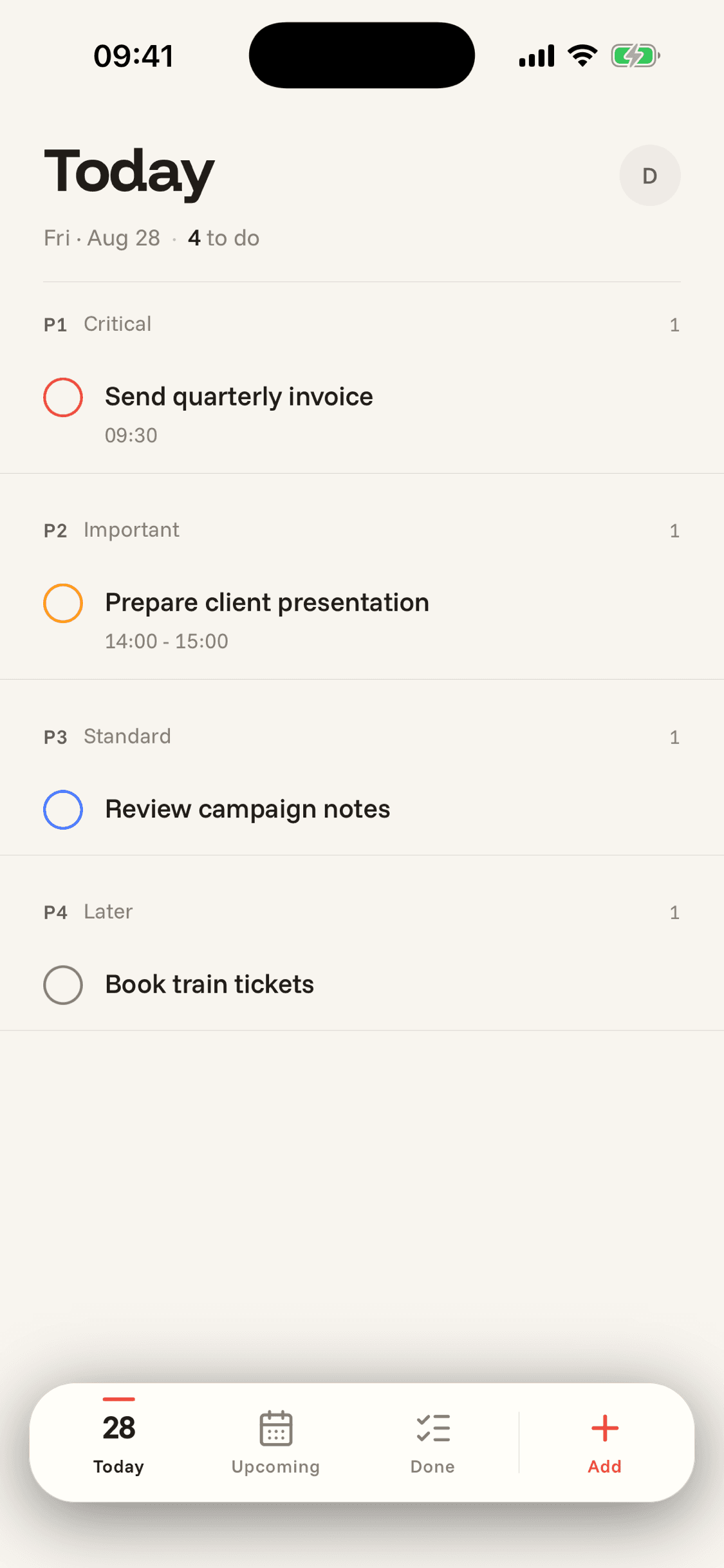
Today view in Do It on iPhone — seven tasks grouped by priority, with P1 Critical at the top

The whole point

Four priorities. Your day, ordered.

Every task gets a priority. The list orders itself; you never drag a task. The same labels show up on the watch face, the home-screen badge, and the Today widget.

P1

Critical

Today, no excuses.

P2

Important

This week, definitely.

P3

Standard

Whenever it fits.

P4

Later

Backlog, not abandoned.

01 — Today

Open the app. See what’s left.

Today is your priority list, grouped: P1 Critical at the top, P4 Later at the bottom. Overdue tasks surface automatically — nothing slips through the cracks because you didn’t look at the right tab.

Swipe to complete. Tap to edit. Long-press to reschedule to Tomorrow, This Weekend, or any specific day.

Today view showing tasks grouped P1 Critical, P2 Important, P3 Standard, P4 Later
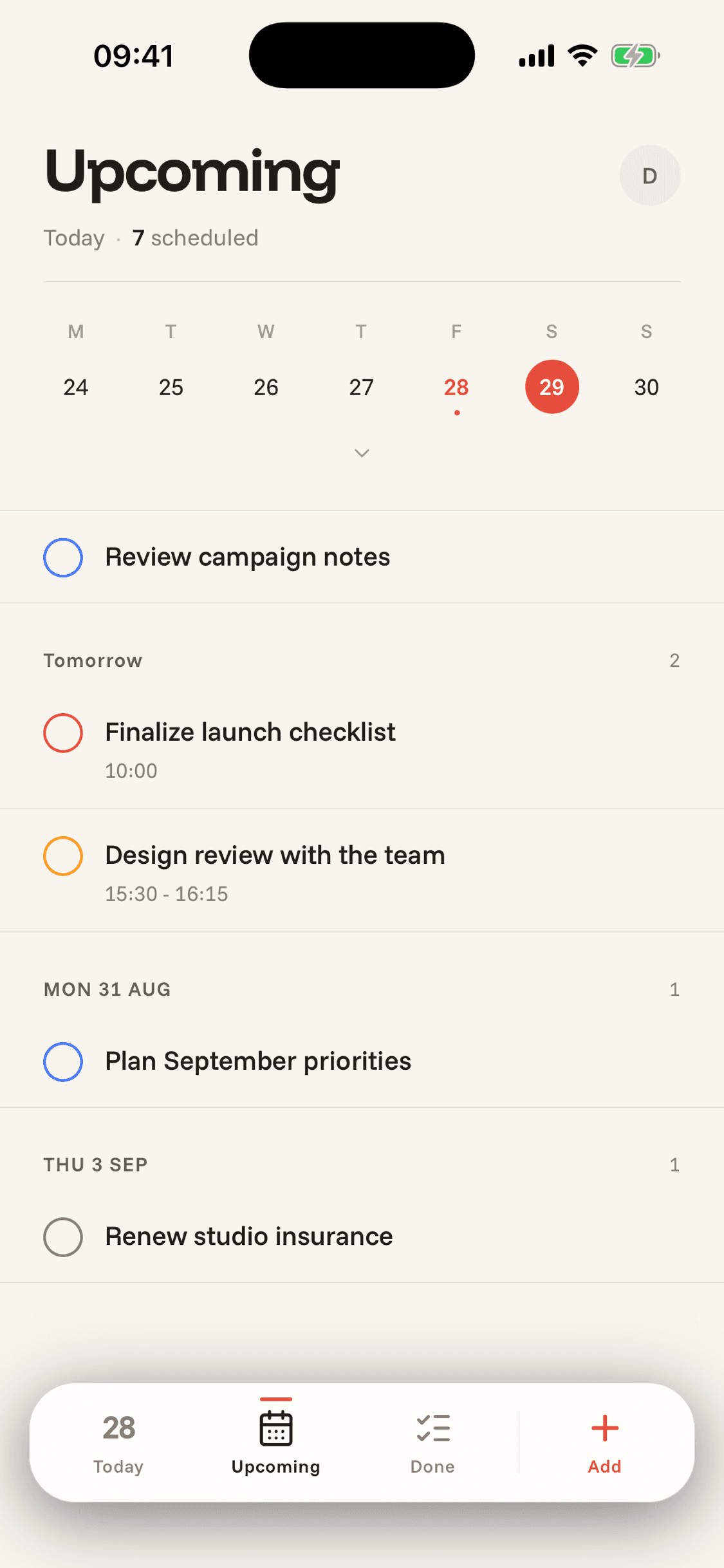
Upcoming view with mini calendar across the top and the next four days of scheduled tasks

02 — Upcoming

The week ahead, at a glance.

A mini calendar sits across the top, with a quiet dot under days that have tasks. Tap a day and you’re inside its list — already in priority order — or just scroll the agenda to see what’s coming.

Connect Google Calendar and your events sit alongside, read-only. No app-switching to see what’s on tomorrow.

03 — Done

A record, not a streak.

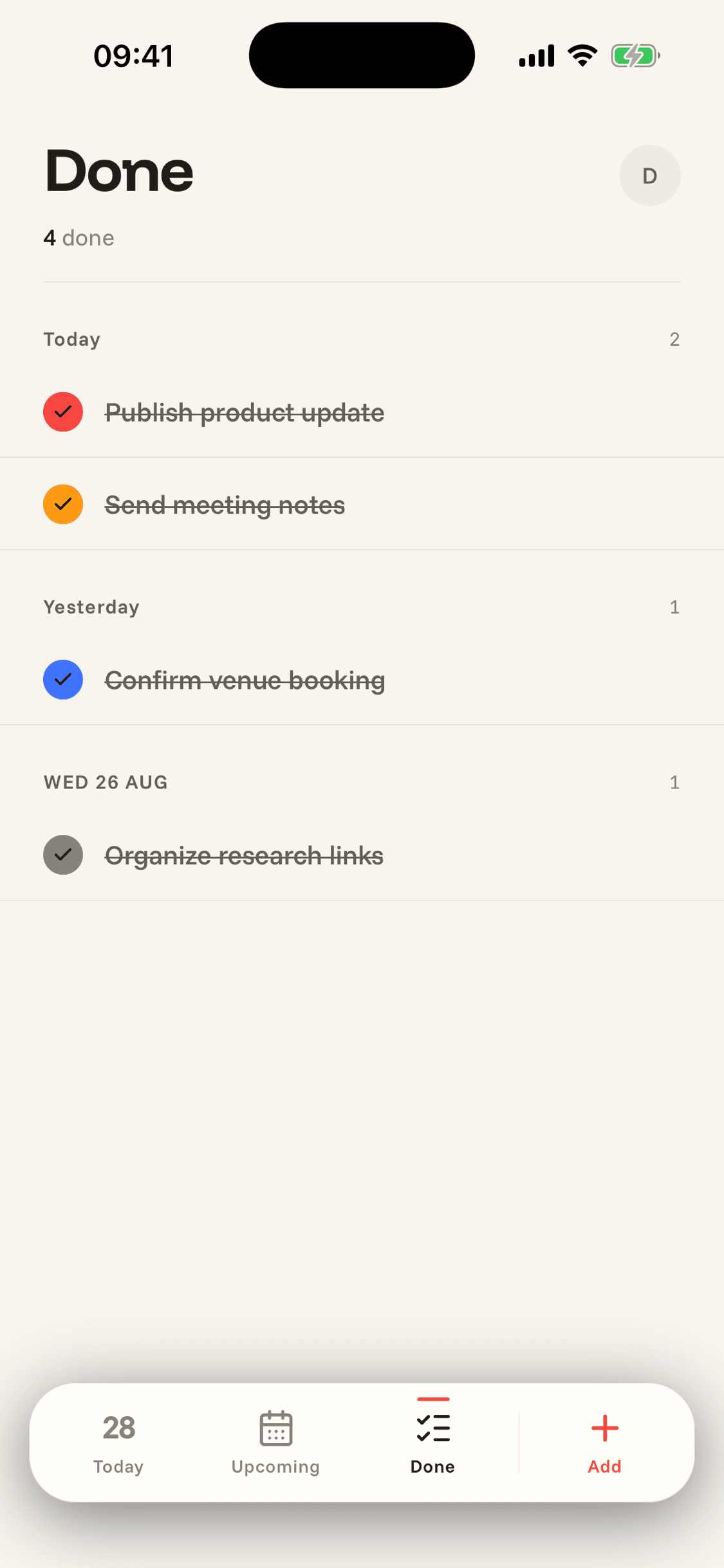
Done is the past, plainly. Today, yesterday, last week — everything you finished, struck through, dated, scrollable. No celebration sound, no flame icon, no shaming when you take a day off.

Ticked the wrong box? Undo a complete with a single tap.

Done view showing 211 completed tasks grouped by Today and Yesterday

What’s actually in there

Built for how you actually work.

  • 01

    Natural-language capture

    Type “dentist tomorrow at 2pm” or “gym every Monday at 7”. The date, time, recurrence, and priority parse themselves.

  • 02

    Recurring without thinking

    “Every Monday.” “First Monday of the month.” “Every other day.” Complete one and the next instance arrives.

  • 03

    Apple Watch & complication

    View the day from your wrist. Tick tasks off. The complication shows what’s next on your watch face.

  • 04

    Smart reminders

    A heads-up notification ten minutes before any timed task. The app icon badge always reflects what’s left for today.

  • 05

    Works offline

    Tasks cache on-device. Capture, edit, and complete offline; everything syncs the moment you’re back online.

  • 06

    Private by default

    Pseudonymous analytics, EU-hosted database, no behavioural tracking. Your tasks are yours — exportable, deletable, end of story.

Get today done.
We’ll keep the list.

Free on the App Store. iPhone, Apple Watch, iOS 17+.

Download on the App Store